





Ransomware and NAS: a risk that is not considered
Estimated reading time: 6 minutes
Despite some seasonal declines, ransomware is still a serious security threat, especially for those who underestimate it . It is often thought that to protect yourself from ransomware it is enough to have a backup copy of your data. This point of view does not take into consideration various aspects. One of them is the relationship between ransomware and NAS ( Network Access Storage ), where you often store a backup copy of the server, thinking it is enough.
Ransomware attacks are capable of rendering entire disks unusable by encrypting the file system . Network disks are at risk, which can also be encrypted, reducing the effectiveness of a backup stored on a NAS.
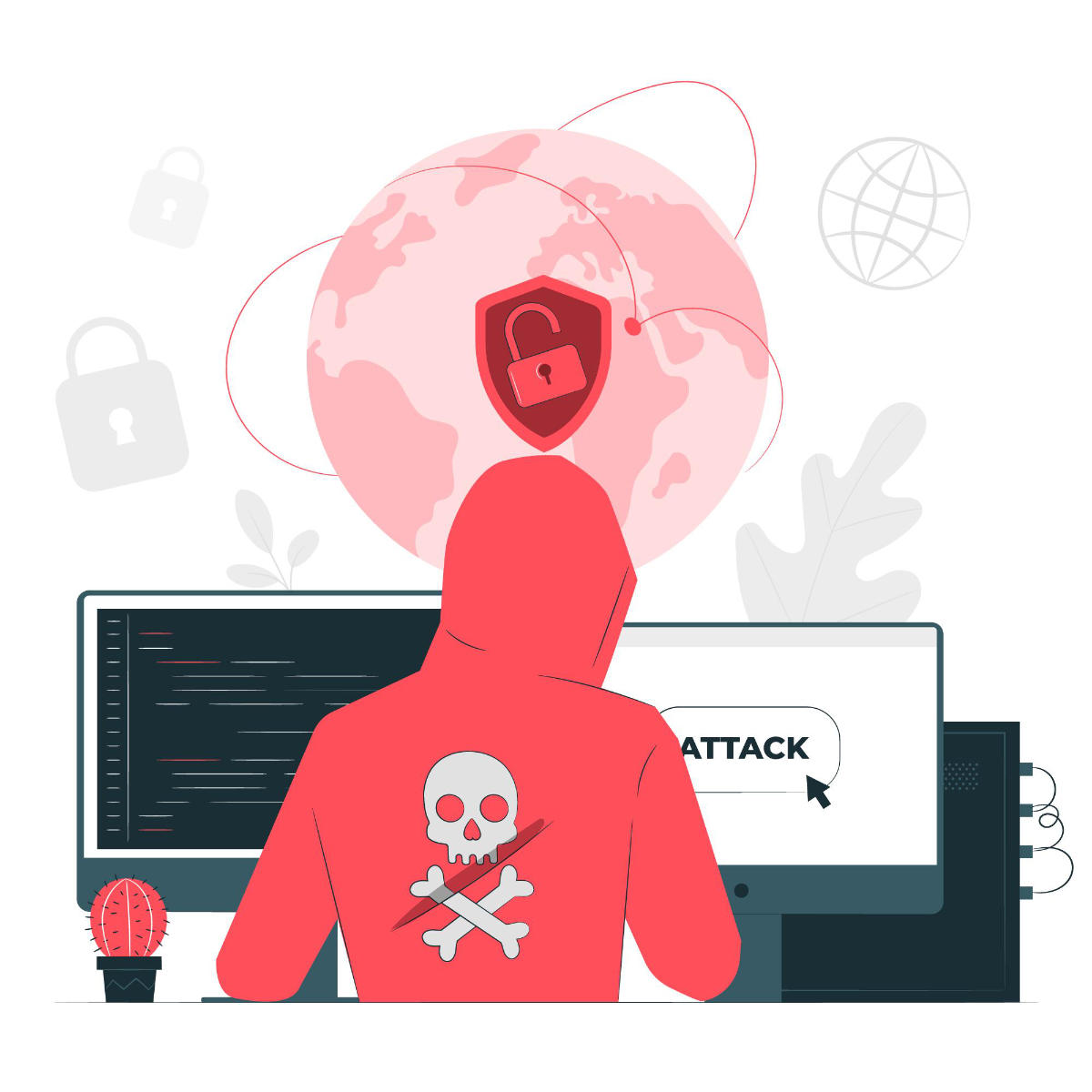
Definition of Ransomware
Ransomware, as we have seen in other articles, is a form of malware that encrypts the victim’s files. The attacker then demands a ransom from the victim to restore access to data against payment .
Users are shown instructions on how to pay a fee to obtain the decryption key. Costs can range from a few hundred euros to thousands, payable to cybercriminals in Bitcoin.
Once the malware gets executed, it’s almost always too late. In fact, often the victim does not notice until the ransom demand is made or when the entire disk has been completely encrypted.
How ransomware works
There are several ways that ransomware can take to access a server. One of the most common delivery systems is phishing . Some attachments arrive at the victim’s computer in an e-mail message, masked from a harmless file.
Once executed, these software masquerading as harmless files can take control of the victim’s computer, especially if they have social engineering tools built in which trick users into allowing administrative access . Tracing back to the server isn’t as complicated as it might seem.
Some other more aggressive forms of ransomware, such as NotPetya , exploit security holes to infect computers without the need to trick users.
There are several things malware could do once it has taken over the victim’s computer, but by far the most common action is to encrypt some or all of the files it has access to. If you want to get into the technical, here’s more information on how encryption takes place.
The most important thing to know is that at the end of the process, files cannot be decrypted without a mathematical key known only to the attacker . The victim is presented with a ransom note and explained that without a payment, the files will remain inaccessible.
Regardless of the requests and how the ransomware is unleashed in the first place, the thing to note is that there is no data that can be saved. So, if your customers’ data is on a server, they can be involved in such an attack.
If the ransomware encrypts file systems and not just individual files, the problems could multiply.

Ransomware, NAS and backups
One of the ways to mitigate the risk is to have a backup available with which to restore the data without having to surrender to payment. The best practices for management backups do not want there to be backups on the same machine, so it is possible that they are kept on network disks, always accessible from servers. But in fact those disks are part of the machine, as they are accessible.
These disks, called NAS (Network Access Storage), are great solutions for managing files on a network, but they can become as useless as the server in the event of a ransomware attack. If the attack encrypts the file systems, it is possible that finding the remote folders on the NAS encrypts those as well, rendering the backup unusable.
The targets of a ransomware
There are several ways attackers choose which organizations they target with ransomware attacks. Sometimes it’s a matter of opportunity – for example, attackers might target universities because they tend to have smaller security teams and a disparate user base that share many files, making it easier to penetrate their defenses.
On the other hand, some organizations are tempting targets because they seem more likely to pay a ransom quickly. For example, government agencies or medical facilities often need immediate access to their files. .
Law firms and other organizations with sensitive data may be willing to pay to keep news of a compromise hidden , and these organizations are often particularly sensitive to a data exfiltration threat.
However, it has been noted that some ransomware is capable of spreading itself on the network . In fact, no one is completely safe, especially if the data stored on the servers is sensitive.

Ransomware and NAS: how to manage backups
As we have seen, ransomware is no small threat to the data stored on corporate servers. Now let’s see what precautions you can take to protect your data and servers.
Do not use NAS for backups
Se il ransomware arriva a un NAS, quasi certamente lo cifrerà rendendo il backup inaccessibile. Evitare questo problema è facile: usare il cloud!
The server provider should offer the ability to store machine backups on the cloud . This means that the backups are not always reachable by the server and therefore the software is unable to encrypt them.
This is the standard of our VPS service . In case of compromise, in fact, it is sufficient to restore the virtual machine to an earlier state through one of the backups stored in the cloud .
Alternatively, you can backup on premise , ie locally, physically in the company. Using the Acronis Backup service you can perform a backup on an external disk not connected to the network.
Another solution, hybrid of the previous ones, is to create a backup through Acronis and store it in the cloud and not locally. You maintain the advantage of having a remote backup that is not connected to the server constantly.
Preventing attacks
Finally, it is correct to mention that there is another solution, the precautionary solution. With the use of our service SOC and thanks to the use of latest generation analysis systems, it is possible to immediately identify a malware or an attack ransowmare and block it before it does damage.
Whether it is adopting best practices for backup and storing them remotely, or adopting a SOC to protect this aspect and many others in the field of IT security , SOD is available to discuss the situation and find a solution tailored to the needs of your company.
Contact us to ask for information, we will be happy to answer any questions.
Useful links:
Useful links:
Share


RSS
More Articles…
- From Cyberfero to Cyberfero: rebranding of the leading cybersecurity company
- NIS: what it is and how it protects cybersecurity
- Advanced persistent threats (APTs): what they are and how to defend yourself
- Penetration Testing and MFA: A Dual Strategy to Maximize Security
- Penetration Testing: Where to Strike to Protect Your IT Network
- Ransomware: a plague that brings companies and institutions to their knees. Should you pay the ransom? Here is the answer.
- Why IT audit and log management are important for Cybersecurity
- Red Team, Blue Team and Purple Team: what are the differences?
Categories …
- Backup as a Service (18)
- Acronis Cloud Backup (11)
- Veeam Cloud Connect (4)
- Cloud Conference (3)
- Cloud CRM (1)
- Cloud Server/VPS (22)
- Conferenza Cloud (4)
- Cyberfero (15)
- ICT Monitoring (5)
- Log Management (2)
- News (25)
- ownCloud (4)
- Privacy (7)
- Security (203)
- Cyber Threat Intelligence (CTI) (8)
- Deception (4)
- Ethical Phishing (11)
- Netwrix Auditor (2)
- Penetration Test (11)
- Posture Guard (3)
- SOCaaS (65)
- Vulnerabilities (84)
- Web Hosting (15)
Tags
 Unknown Feed
Full Disclosure
- Code Security Review tool September 22, 2026Posted by E. Kellinis on Sep 22Karma Pro is an open source code review tool that can assist code reviewers with a multitude of useful tools. Karma Pro is a macOS source-code security scanner (AST base and Heuristics) that statically analyses projects in multiple languages. It's backed by an ML classifier trained on real patches […]
- HP Advance / Output Central: unauthenticated SYSTEM RCE and two additional vulnerabilities (CVE-2026-89082/89083/89084) September 22, 2026Posted by Joe via Fulldisclosure on Sep 22HP Advance / HP Output Central Unauthenticated SYSTEM RCE, authorization bypass, and arbitrary file write/delete CVE-2026-89082, CVE-2026-89083, CVE-2026-89084 ================================================================ SUMMARY ================================================================ Vendor: HP Inc. Product family named by HP: HP Advance Products in HP's update table: HP AC Print & Scan; HP Output Central Components:...
- CFP No cON Name 2k26 - Palma, Mallorca - Spain September 22, 2026Posted by Jose Nicolas Castellano on Sep 22No cON Name 2026 - Palma, Mallorca - Balearic Islands ************************************ ***** Call For Papers ****** ************************************ https://www.noconname.org/call-for-papers/ Exact place not disclosed until a few weeks before due celebration. * INTRODUCTIONfulldisclosure () seclists org The organization has opened CFP proposals. No cON Name […]
- CVE-2026-17613: Penpot cross-team file takeover via import-binfile (unpatched in 2.17.2) September 22, 2026Posted by Louis Sanchez via Fulldisclosure on Sep 22Posting this as an update rather than a first disclosure. The advisory went public on 2026-08-04 with no vendor fix. Penpot has shipped two releases since then, 2.17.1 and 2.17.2 -- the latter 14 days ago, on 2026-08-27 -- and I re-checked the code this morning: the […]
- CVE-2026-44756: Pre-Auth RCE in SAP EPP Processing (ICM, Web Dispatcher, disp+work) September 22, 2026Posted by Raschin Tavakoli via Fulldisclosure on Sep 22nullFaktor Security Advisory < 2026-09-10 > =========================================================== Title: Pre-Authentication Remote Code Execution in SAP Extended Passport (EPP) processing library Affected Components: ICM, SAP Web Dispatcher, dialog work processes Vulnerability: Stack based Buffer Overflow CVE: CVE-2026-44756 Impact: Critical CVSS 4.0 Vector:...
- [0day-rubbish] TigerGraph Community Edition 4.2.4 Default credentials plus GSQL TO_CSV arbitrary file write to SSH code execution (9.8) September 22, 2026Posted by disclosure via Fulldisclosure on Sep 220day Rubbish Research Team is publicly disclosing a vulnerability in TigerGraph Community Edition 4.2.4. Type: Default credentials plus GSQL TO_CSV arbitrary file write to SSH code execution (CWE-798) CVSS: 9.8 (AV:N/AC:L/PR:N/UI:N/S:U/C:H/I:H/A:H) Impact: command execution as the tigergraph service user (uid 1001), which owns the engine, graph data, catalog […]
- [0day-rubbish] Teltonika RutOS 00.07.06.21 Authenticated ipsec.lua logread command injection with reflected output (8.8) September 22, 2026Posted by disclosure via Fulldisclosure on Sep 220day Rubbish Research Team is publicly disclosing a vulnerability in Teltonika RutOS 00.07.06.21. Type: Authenticated ipsec.lua logread command injection with reflected output (CWE-78) CVSS: 8.8 (AV:N/AC:L/PR:L/UI:N/S:U/C:H/I:H/A:H) Impact: root command execution on the router, with command output reflected into the JSON response Authentication: authenticated administrator Full technical analysis and […]
- APPLE-SA-09-14-2026-10 Xcode 27 September 22, 2026Posted by Apple Product Security via Fulldisclosure on Sep 22APPLE-SA-09-14-2026-10 Xcode 27 Xcode 27 addresses the following issues. Information about the security content is also available at https://support.apple.com/149040. Apple maintains a Security Releases page at https://support.apple.com/100100 which lists recent software updates with security advisories. Xcode IDE Available for: macOS Tahoe 26.6 and later Impact: An […]
- APPLE-SA-09-14-2026-9 Safari 27 September 22, 2026Posted by Apple Product Security via Fulldisclosure on Sep 22APPLE-SA-09-14-2026-9 Safari 27 Safari 27 addresses the following issues. Information about the security content is also available at https://support.apple.com/149039. Apple maintains a Security Releases page at https://support.apple.com/100100 which lists recent software updates with security advisories. Safari Available for: macOS Sequoia and macOS Tahoe Impact: A malicious […]
- APPLE-SA-09-14-2026-8 visionOS 27 September 22, 2026Posted by Apple Product Security via Fulldisclosure on Sep 22APPLE-SA-09-14-2026-8 visionOS 27 visionOS 27 addresses the following issues. Information about the security content is also available at https://support.apple.com/149038. Apple maintains a Security Releases page at https://support.apple.com/100100 which lists recent software updates with security advisories. Accelerate Framework Available for: Apple Vision Pro (all models) Impact: Processing […]
Customers






Twitter FEED
Recent activity
-
SecureOnlineDesktop
Estimated reading time: 6 minutes L'impatto crescente delle minacce informatiche, su sistemi operativi privati op… https://t.co/FimxTS4o9G
-
SecureOnlineDesktop
Estimated reading time: 6 minutes The growing impact of cyber threats, on private or corporate operating systems… https://t.co/y6G6RYA9n1
-
SecureOnlineDesktop
Tempo di lettura stimato: 6 minuti Today we are talking about the CTI update of our services. Data security is… https://t.co/YAZkn7iFqa
-
SecureOnlineDesktop
Estimated reading time: 6 minutes Il tema della sicurezza delle informazioni è di grande attualità in questo peri… https://t.co/tfve5Kzr09
-
SecureOnlineDesktop
Estimated reading time: 6 minutes The issue of information security is very topical in this historical period ch… https://t.co/TP8gvdRcrF
Newsletter
Products and Solutions
Partners
Cloud Models
News
- From Cyberfero to Cyberfero: rebranding of the leading cybersecurity company May 6, 2024
- NIS: what it is and how it protects cybersecurity April 22, 2024
- Advanced persistent threats (APTs): what they are and how to defend yourself April 17, 2024
- Penetration Testing and MFA: A Dual Strategy to Maximize Security April 15, 2024
- Penetration Testing: Where to Strike to Protect Your IT Network March 25, 2024
Google Reviews


Davvero consigliata !!!!!
In particolare vorrei sottolineare la figura che piu’ racchiude e sintetizza le qualità della Secure Online Desktop , il suo AD Ing. Piergiorgio Venuti, professionista impagabile , sia dal punto di vista tecnico/organizzativo che soprattutto (e non dimeno) come persona , capace di gestire , risolvere e approcciare qualsivoglia attività/problematica, davvero un grande !!!!







Tempi veloci e staff preparato!
Ottima azienda, servizi molto utili, staff qualificato e competente. Raccomandata!read more
Ottimo supportoread more
E' un piacere poter collaborare con realtà di questo tiporead more
Un ottimo fornitore.
Io personalmente ho parlato con l' Ing. Venuti, valore aggiunto indubbiamente.read more


About
© 2024 Cyberfero s.r.l. All Rights Reserved. Sede Legale: via Statuto 3 - 42121 Reggio Emilia (RE) – PEC [email protected] Cod. fiscale e P.IVA 03058120357 – R.E.A. 356650 Informativa Privacy - Certificazioni ISO